Showing posts with label Metadata. Show all posts

Monday, March 9, 2026

Digital Forensics:practical exercise to map GPS coordinates extracted

Practical exercise to map GPS coordinates extracted

Mobile Forensics Lab II

This lab guide provides a step-by-step practical exercise to map GPS coordinates extracted from an Autopsy investigation using open-source mapping tools.

Lab Objective

In this lab, you will act as a forensic analyst. You will take the raw geolocation data extracted from the calendar.db file in Autopsy (33.529455426023574, -112.0847381568517) and map it to identify the physical meeting location of the suspect and the supplier.


Prerequisites & Tools

  • The target GPS coordinates: 33.529455426023574, -112.0847381568517

  • An internet browser.

  • Access to an open mapping tool (e.g., Google Maps or OpenStreetMap).

Step 1: Analyze and Format the Coordinates

Before plugging data into mapping software, you must understand its structure.

  • Latitude (North/South): 33.529455426023574  

  • Longitude (East/West): -112.0847381568517  

    Step 2: Input the Data into a Mapping Tool

    1. Open your web browser and navigate to Google Maps.

    2. Click on the Search bar in the upper left corner.

    3. Copy and paste the coordinates exactly as they appeared in Autopsy, separated by a comma:

      33.529455426023574, -112.0847381568517
    4. Press Enter or click the search icon.
Step 3: Analyze the Visual Data (Pinpoint Location)
    1. Observe where the red map pin drops. Zoom in using the + button to view street-level details.

    2. Switch from the standard map view to Satellite view (usually in the lower-left corner) to examine the physical surroundings.

    3. Identify the landmark.

      • Analysis observation: These coordinates point directly to a specific retail/commercial parking lot area in Phoenix, Arizona.


อ่านเพิ่ม: Timestamp Decoder

หมายเหตุ:เนื้อหาในเว็บไซต์นี้มีขึ้นเพื่อวัตถุประสงค์ในการให้ข้อมูลและเพื่อการศึกษาเท่านั้น

* หากมีข้อมูลข้อผิดพลาดประการใด ขออภัยมา ณ ที่นี้ด้วย  รบกวนแจ้ง Admin เพื่อแก้ไขต่อไป
ขอบคุณครับ

#WindowsForensic #ComputerForensics #dfir #forensics #digitalforensics #computerforensic #investigation #cybercrime #fraud

Friday, July 4, 2025

Digital Forensics:How to Detect AI Generated Images

Digital Forensics:How to Detect AI Generated Images

เมตาดาตาในบริบทของ ChatGPT หมายถึงข้อมูลเกี่ยวกับข้อมูลที่สร้างขึ้นโดย AI ซึ่งอาจรวมถึงรายละเอียดเกี่ยวกับการสร้าง วัตถุประสงค์ และบริบท เมตาดาตานี้สามารถใช้เพื่อทำความเข้าใจลักษณะของเนื้อหา ซึ่งอาจช่วยในงานต่างๆ เช่น การตรวจสอบเนื้อหา การติดตามประสิทธิภาพ และแม้กระทั่งช่วยปรับแต่งการตอบสนองในอนาคต

Photo By: AI ChatGPT

ตรวจสอบโดยใช้ exiftool(-k) Tools  ChatGPT Image


Photo By: AI ChatGPT

วิเคราะห์ข้อมูลจาก Metadata

1. แหล่งกำเนิดและเครื่องมือสร้างภาพ

  • สร้างโดย AI: Software Agent: GPT-4o, OpenAI API

  • เครื่องมือสร้าง: Claim Generator: ChatGPT

  • ประเภทเนื้อหา: Digital Source Type: trainedAlgorithmicMedia (สื่อที่สร้างโดยอัลกอริทึม)

  • มาตรฐานเนื้อหา: ใช้มาตรฐาน C2PA (Coalition for Content Provenance and Authenticity) สำหรับติดตามที่มาของเนื้อหา C2PA signature เป็นเทคโนโลยีที่ใช้ในการลงนามและยืนยันความถูกต้องของเนื้อหาดิจิทัล เช่น รูปภาพและวิดีโอ โดยใช้มาตรฐานของ Content Authenticity Initiative (C2PA) เพื่อให้แน่ใจว่าเนื้อหานั้นไม่ได้ถูกแก้ไขหรือปลอมแปลง 

  • การวิเคราะห์ข้อมูลเมตาสำหรับการตรวจสอบ ผู้เชี่ยวชาญด้านนิติวิทยาศาสตร์ใช้ข้อมูลเมตาเพื่อระบุความไม่สอดคล้องกัน (เช่น รุ่นกล้องที่ถ่าย และ เวลาที่ถ่ายภาพ) ซึ่งภาพที่สร้างโดย AI ไม่มีข้อมูลดังกล่าว อาจบ่งชี้ว่าเป็นภาพปลอมหรือถูกสร้างขึ้น (Missing camera information (e.g., no camera model, lens details).

  • การระบุภาพที่สร้างโดย AI:

    ซึ่งมักเกี่ยวข้องกับการมองหาความไม่สอดคล้องเล็กๆ น้อยๆ ในรายละเอียด พื้นผิว แสง พื้นหลัง และลักษณะใบหน้าที่ AI ไม่สามารถจำลองได้อย่างสมบูรณ์แบบ

  • ตรวจสอบวันที่สร้างหรือข้อมูลซอฟต์แวร์ไม่สอดคล้องกัน

2. ข้อมูลการสร้างและแก้ไข

  • เวลาสร้างจริง: 02:48:48 AM (จากชื่อไฟล์) vs 02:49:53 UTC (เวลาบันทึกไฟล์) - มีความคลาดเคลื่อน 1 นาที 5 วินาที

  • การกระทำสำคัญ:

    • c2pa.created: การสร้างเนื้อหาเริ่มต้น

    • c2pa.converted: การแปลงรูปแบบไฟล์

3. ลายเซ็นดิจิทัลและความสมบูรณ์

  • ลายเซ็นดิจิทัล: Self-signed JUMBF manifest

  • อัลกอริทึมแฮช: SHA-256 (ใช้ในการตรวจสอบความสมบูรณ์)

  • ผลการตรวจสอบ:

    • claimSignature.validated - ลายเซ็นถูกต้อง

    • assertion.dataHash.match - ข้อมูลไม่ถูกแก้ไขหลังสร้าง

4. ข้อมูลสำคัญที่ซ่อนอยู่ (Forensic Artifacts)

  • Zone Identifier: บ่งชี้ว่าไฟล์นี้ถูกดาวน์โหลดจากอินเทอร์เน็ต

  • Thumbnail JPEG: มีภาพ thumbnail ขนาด 34.1 KB ฝังใน metadata

5. การตรวจสอบโดย The C2PA Verify tool 

มาตรฐาน C2PA คืออะไร และช่วยอะไรบ้าง?
C2PA เป็นมาตรฐานทางเทคนิคแบบเปิดที่อนุญาตให้ผู้เผยแพร่ บริษัท และบุคคลอื่นๆ ฝังเมตาดาตาลงในสื่อเพื่อยืนยันแหล่งที่มาและข้อมูลที่เกี่ยวข้อง C2PA ไม่ได้มีไว้สำหรับภาพที่สร้างโดย AI เท่านั้น แต่มาตรฐานเดียวกันนี้ยังถูกนำมาใช้โดยผู้ผลิตกล้อง องค์กรข่าว และบุคคลอื่นๆ เพื่อรับรองแหล่งที่มาและประวัติ (หรือที่มา) ของเนื้อหาสื่อ
Digital Forensics:How to Detect AI Generated Images
Photo by :https://opensource.contentauthenticity.org

Digital Forensics:How to Detect AI Generated Images
Photo By: AI ChatGPT


6. Hive Moderation:(เว็บไซต์ ตรวจสอบภาพด้วย AI 

Digital Forensics:How to Detect AI Generated Images
Photo by :sightengine.com

7. Forensically:(เว็บไซต์ ตรวจสอบภาพด้วย AI )


Digital Forensics:How to Detect AI Generated Images
Photo by :https://29a.ch/

Photo by: hackerfactor[.]com

How to Detect AI Generated Images
Question

1.What is the  file header in this image?
ANS:
hint:FTKImager,Hex Editor

2.When was this image created?
ANS:

3.What brand of camera was this photo taken with?
ANS:
4.This picture is generator by?
ANS:

5.Which information shows the details of the received content as true without modification?
ANS:
hint:C2PA

6.What is C2PA?
ANS:

7.Can you confirm that this image was created by AI?
ANS:
hint:contentcredentials


อ่านเพิ่มเติม
* หากมีข้อมูลข้อผิดพลาดประการใด ขออภัยมา ณ ที่นี้ด้วย  รบกวนแจ้ง Admin เพื่อแก้ไขต่อไป
ขอบคุณครับ

#WindowsForensic #computerforensic #ComputerForensics #dfir #forensics
#digitalforensics #investigation #cybercrime #fraud

Friday, October 11, 2024

Digital Forensics:METADATA LAB II

Digital Forensics:METADATA LAB II

Analyzing EXIF data:

The ways to analyze the metadata in a PDF file is through a free application Exiftool. 

Let's take a look at File A's metadata with exiftool:

Digital Forensics:METADATA LAB II

USING THE EXIFTOOL FOR METADATA   


ExifTool is a platform-independent Perl library plus a command-line application for reading, writing and editing meta information

USING THE EXIFTOOL FOR METADATA   


Lab II. File1

1. What is the name of this file?

 Ans:

2. What is the type of this file?

 Ans:

3. What is the file type extension?

 Ans:

4. What is the size of it?

 Ans:

5. Who’s the creator of the file?

Ans:

6. What is the MAC date of this file?

Ans:

7.Find the md5 hash of this File1 pdf file.

Ans:


อ่านเพิ่มเติม:


* หากมีข้อมูลข้อผิดพลาดประการใด ขออภัยมา ณ ที่นี้ด้วย  รบกวนแจ้ง Admin เพื่อแก้ไขต่อไป
ขอบคุณครับ

#WindowsForensic #computerforensic #ComputerForensics #dfir #forensics
#digitalforensics #investigation #cybercrime #fraud

Friday, March 1, 2024

Digital Forensics:METADATA LAB

Digital Forensics: METADATA LAB

Digital Forensics:METADATA LAB

Metadata Samples

1.Who is the artist who created this picture?


Photo with metadata
Photo by : iptc.org 
Hint:metadata2go.

2.What brand of camera did you use to take this photo?

sanyo-vpcg250.jpg

Photo by : github.com/ianare

Hint: exif.tools


GPS Samples

3.What country is this place in?

DSCN0025.jpg
Photo by : github.com/ianare
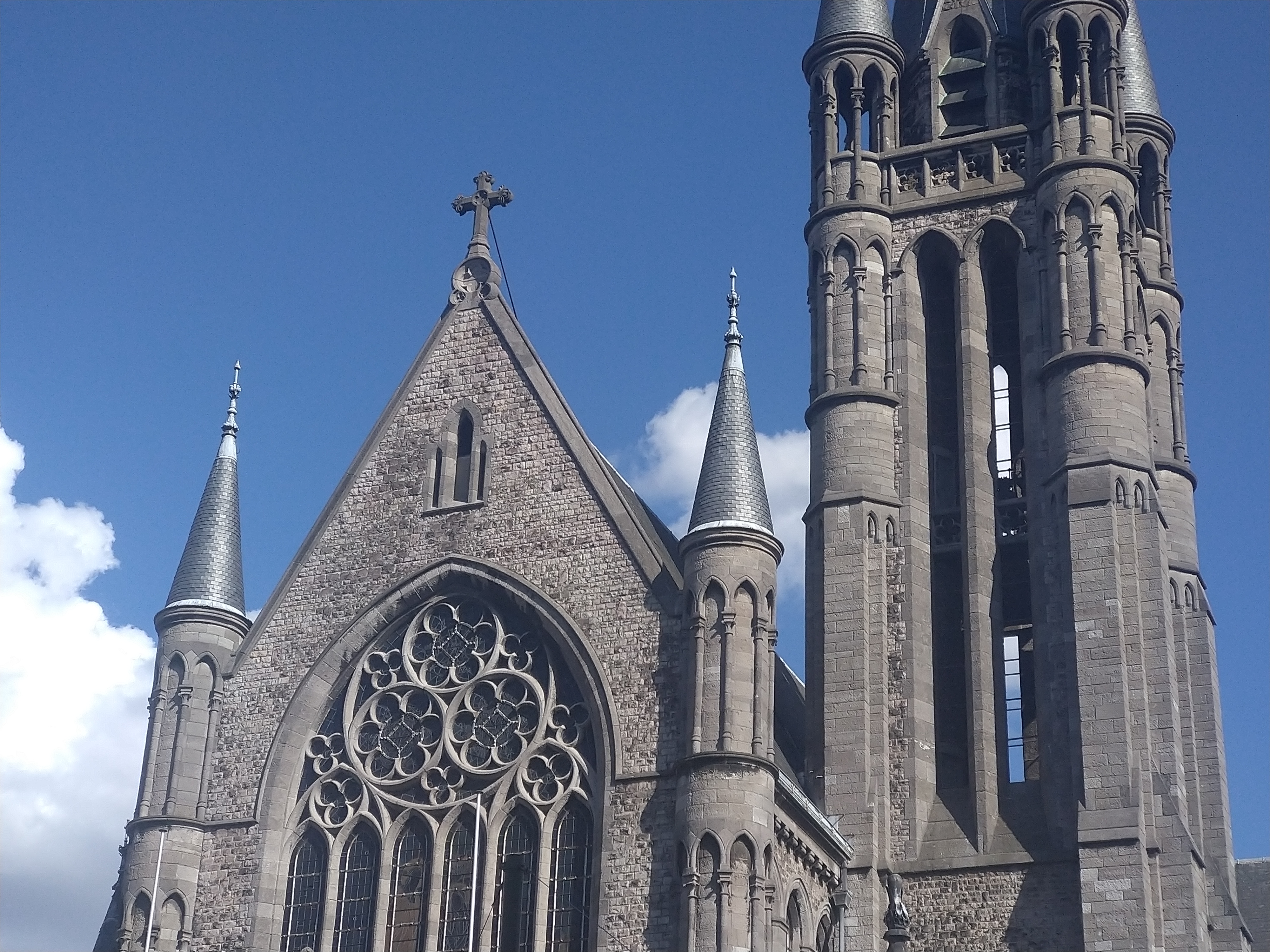
Hint: pic2map

DSCN0042.jpg
Photo by : github.com/ianare

4.What software was used to edit this photo?


preview image
Photo by :pixelpeeper.
Hint:metadata2go.

DSCN0040.jpg
Photo by : github.com/ianare

5.What is the name of the place in this picture?


Photo by : tarranprior.com
Hint: tool.geoimgr.com & Google Map


Credit: exif-samples

อ่านเพิ่มเติม:How to View and Remove Metadata from Images

* หากมีข้อมูลข้อผิดพลาดประการใด ขออภัยมา ณ ที่นี้ด้วย  รบกวนแจ้ง Admin เพื่อแก้ไขต่อไป
ขอบคุณครับ

#WindowsForensic #computerforensic #ComputerForensics #dfir #forensics
#digitalforensics #investigation #cybercrime #fraud

Friday, February 9, 2024

Digital Forensics:How to View and Remove Metadata from Images?

Digital Forensics:How to View and Remove Metadata from Images?

What is Metadata ?

Metadata refers to data that provides information about other data. In other words, it's data about data. Metadata describes various aspects of the primary data, such as its content, context, structure, and other attributes. It serves to provide additional context, facilitate organization, and enhance the understanding and usability of the primary data.

Examples of metadata include:

  1. File Metadata: Information about a file, such as its name, size, type, creation date, and last modified date.
  2. Document Metadata: Information about a document, such as its author, title, subject, keywords, and language.
  3. Image Metadata: Information embedded within an image file, such as the camera settings used to capture the image, location coordinates (if available), and creation date.
  4. Web Page Metadata: Information embedded within a web page's HTML code, such as the page title, description, keywords, and author.
  5. Database Metadata: Information about the structure and contents of a database, such as table names, column names, data types, and relationships between tables.

Digital Forensics:How to View and Remove Metadata from Images
Photo Credit by : ianaré sévi

Whit is EXIF data ?

EXIF (Exchangeable Image File Format) data is a type of metadata that is commonly associated with image files, particularly those captured by digital cameras and smartphones. EXIF data contains a variety of information about the image and how it was captured. Some common types of information found in EXIF data include:

  1. Camera Settings: This includes details such as the make and model of the camera or smartphone, the lens type, focal length, aperture, shutter speed, and ISO settings used to capture the image.

  2. Date and Time: The date and time when the image was captured.

  3. Geolocation: GPS coordinates indicating the location where the image was captured, if the device supports geotagging.

  4. Orientation: Information about the orientation of the camera when the image was taken (e.g., portrait or landscape).

  5. Camera Manufacturer Information: Details about the manufacturer of the camera or smartphone, such as the camera's serial number.

  6. Copyright Information: Copyright information entered by the photographer, including their name, contact details, and copyright status.


Digital Forensics:How to View and Remove Metadata from Images
Photo Credit by : opanda

Image Description = Door to the Soul
Make = Nikon
Model = Nikon F5
Software = Opanda PowerExif
Artist = Kenneth Garrett
Copyright = Kenneth Garrett

Why Should You Remove Metadata?

There are several reasons why you might want to remove metadata from files:

  1. Privacy Concerns: Metadata can contain sensitive information that you may not want to share publicly, such as your location, author name, or comments. Removing metadata helps protect your privacy and prevents inadvertent disclosure of personal or confidential information.

  2. Security Risks: Metadata can potentially reveal information that could be exploited by malicious actors. For example, geolocation metadata in photos could disclose your whereabouts, posing a security risk if shared unintentionally. Removing metadata reduces the risk of exposing sensitive information to unauthorized individuals.

  3. Reducing File Size: Metadata can add to the size of files, especially in documents or images with extensive metadata fields. Removing metadata can help reduce file size, making it easier to store, share, or transmit files, particularly in environments with limited bandwidth or storage capacity.

  4. Protecting Intellectual Property: Metadata often includes information about the creator or owner of a file. Removing metadata can help protect the intellectual property rights of the content creator by preventing unauthorized use or attribution.

  5. Enhancing Anonymity: In certain contexts, such as whistleblowing or journalistic activities, removing metadata from files can help maintain the anonymity of sources or contributors, protecting them from potential retaliation or identification.


Analyzing EXIF data:

The ways to analyze the metadata in a photo is through a free application Exiftool. 
Let's take a look at File A's metadata with exiftool:

Digital Forensics:How to View and Remove Metadata from Images
Exiftool on Windows
Digital Forensics:How to View and Remove Metadata from Images
GPS Latitude/Longitude

#H:\exiftool-12.76>"exiftool(-k).exe" "C:\Users\...\Downloads\DSCN0042.jpg"

ExifTool is a platform-independent Perl library plus a command-line application for reading, writing and editing meta information

From the snapshot, we can gather the following useful information:

1. File Size: 157 KB
2. File Creation Date: 2008:10:22 17:00:07
3. File Type: JPG
4. File Name: DSCN0042.jpg
5.GPS Date/Time                   : 2008:10:23 14:57:41.37Z
6.GPS Latitude                       :  43 deg 27' 52.04" N
7.GPS Longitude                   : 1 11 deg 52' 53.32" E
8.Make                                   : NIKON
9.Camera Model Name          : COOLPIX P6000

How to Remove Metadata in Images?

#exiftool(-k).exe -all=

Digital Forensics:How to View and Remove Metadata from Images

How to View   Metadata in Images?

#H:\exiftool-12.76>"exiftool(-k).exe" "C:\Users\...\Downloads\DSCN0042.jpg"

Digital Forensics:How to View and Remove Metadata from Images


Reference:

https://eforensicsmag.com/download/metadata-analysis-tools-and-techniques/
https://en.wikipedia.org/wiki/Metadata


* หากมีข้อมูลข้อผิดพลาดประการใด ขออภัยมา ณ ที่นี้ด้วย  รบกวนแจ้ง Admin เพื่อแก้ไขต่อไป
ขอบคุณครับ

#WindowsForensic #computerforensic #ComputerForensics #dfir #forensics
#digitalforensics #investigation #cybercrime #fraud

หลักสูตร ความมั่นคงปลอดภัยทางไซเบอร์ (Practical Cybersecurity and Digital Forensics)

หลักสูตร ความมั่นคงปลอดภัยทางไซเบอร์ (Practical Cybersecurity and Digital Forensics) Photo credit: BU Lifelong Learning Center FB เปิดรับสม...